How to edit dialog files
The first step to editing dialog is to create a github.com account. Simply go to github and make an account.
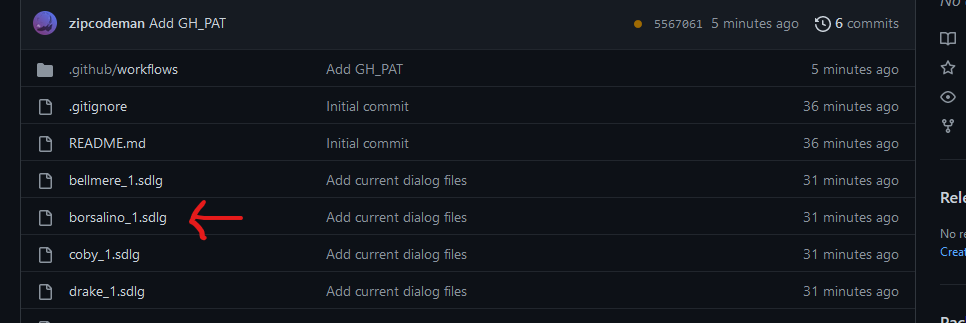
Next, you will need to go to the dialog repository: https://github.com/StandOfGiants/NL-Dialog. Once there, you will need to select the appropriate file for the date you want to edit. They are named “<charactername>_<datenumber>.sdlg”. In the example below, we have clicked on borsalino date 1.
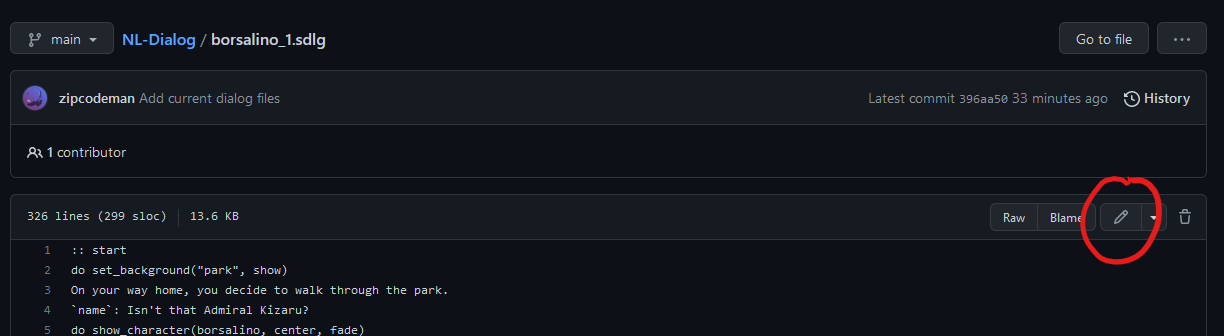
Once there, you will see the entire file, in the top right corner, you will see a pencil icon (if the icon is grayed out, make sure you are logged in).
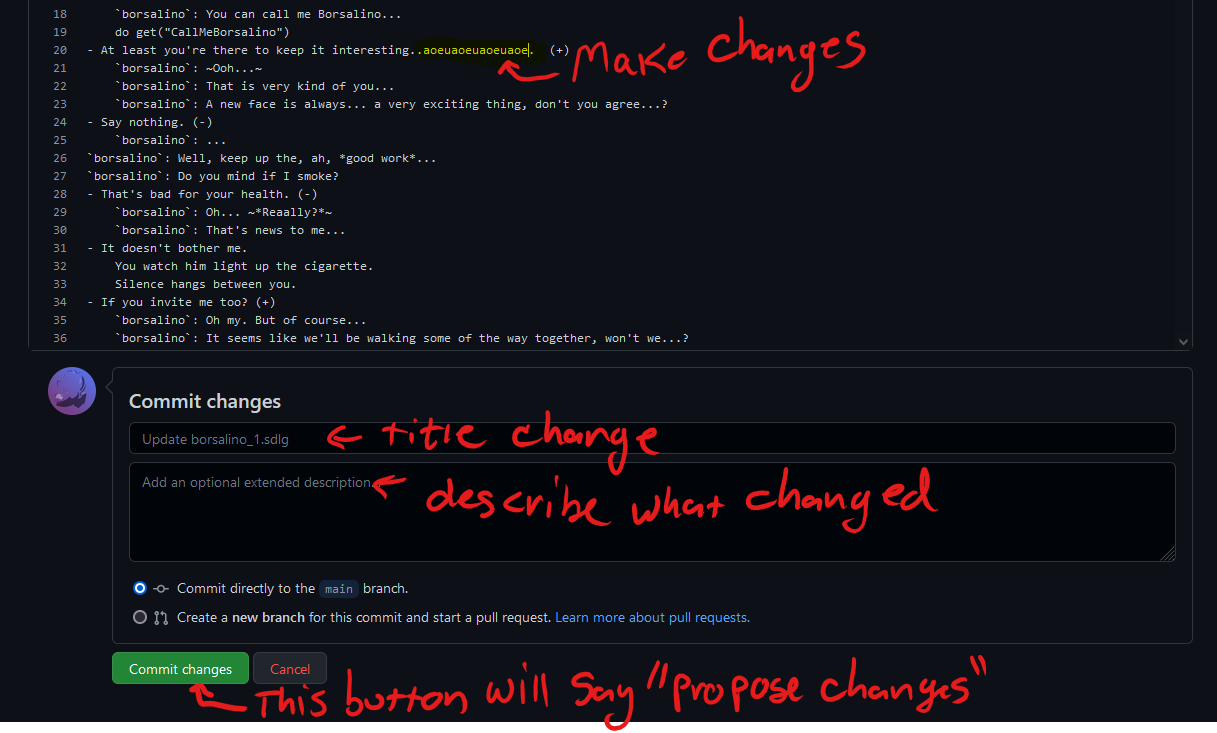
Finally, you will make the changes you want to the dialog file, add a title and a description of your changes, and then click on the button titled “Propose Changes”
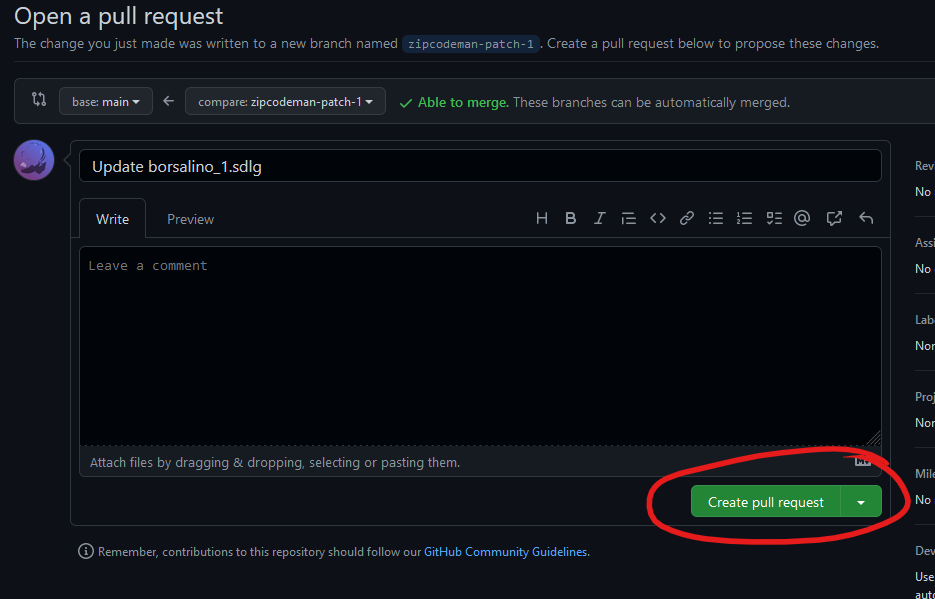
This will take you to a page to open a “pull request”. Once you click the “Create Pull Request” button your change will be sent to Zip for approval.